
A plan written for a stranger won't fit your body.
Kumo Coach builds your training plan and your meal plan from your real scan numbers — muscle, fat, and water. Any body-composition machine works: an InBody, a clinic scan, or the smart scale in your bathroom. Not a quiz. Not a template.
$29/month · 7 days free
Start 7 Days Free Open Kumo CoachRight equipment. Right plan. Real results.
Your plan starts with a free body scan and your real numbers.
Sound familiar?
- You're losing weight — and losing muscle with it
- The scale stalls, and nobody can tell you why
- Every plan you've tried was written for a stranger
- You're tired of starting over
Coach starts with your numbers, not your guesses — and when your numbers change, your training plan changes with them.
What you get
- A training plan built from your real scan numbers
- A meal plan and a shopping list, built around how you actually eat
- Daily check-ins that keep your plan honest
- Adjustments when life happens — change your answers and your training plan rebuilds
- Challenges that give you something to chase
- Works with a scan from any machine — even a home smart scale. Already have a scale at home? You already have what Coach needs.
Pick your coaching
Kumo Coach
$29 /month
or $290/year. Monthly starts with 7 days free. Cancel anytime.
- Training plan built from your real numbers
- Meal plan + shopping list
- Daily check-ins
- Adjustments when your numbers or your life change
- Challenges
Kumo Coach Premium
$79 /month
or $790/year. Monthly starts with 7 days free. Cancel anytime.
- Everything in Kumo Coach
- A real coach checks in on you — a person, not just an app
Already have Coach?
Open the app and pick up right where you left off.
Open Kumo CoachGet Coach on your phone
Coach opens like an app from your home screen — one tap to your plan. Putting it there takes under a minute.
Android
Open Coach in Chrome and sign in. When Coach offers, tap ADD TO HOME SCREEN — one tap, no menus. Coach lands on your home screen, ready to open.
iPhone
Open Coach in Safari, then:
- Tap the menu icon at the left of the address bar, at the bottom of your screen.
- Tap Share.
- Tap View More.
- Tap Add to Home Screen.
- Tap Add. Coach is on your home screen.
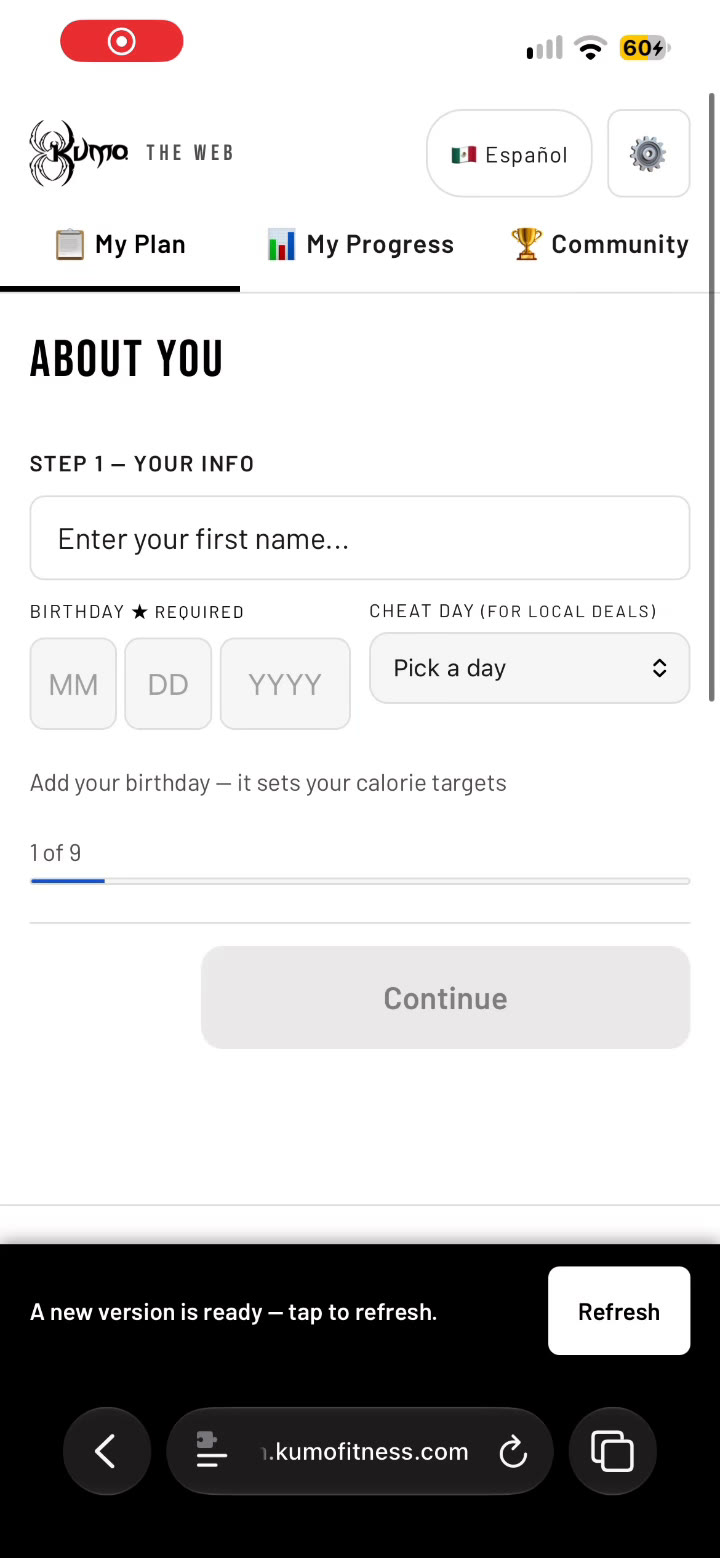
Coach in Safari. The menu icon sits at the left of the address bar, down at the bottom.
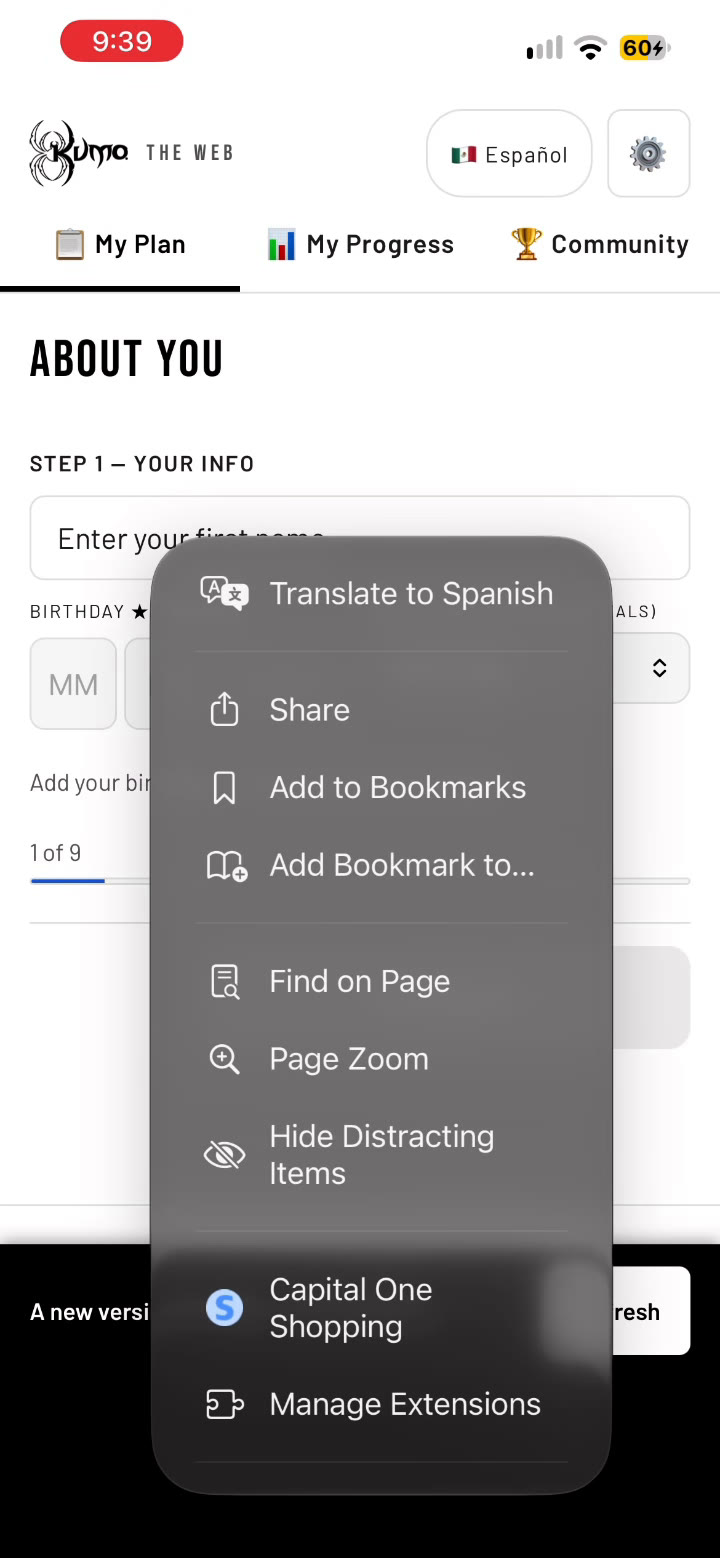
The menu opens — tap Share, then View More, then Add to Home Screen.